
Survey Showdown
“We asked 100 people…” Two teams, one survey question and up to eight hidden answers. Race to the buzzers in the face-off, find every answer before three strikes – or the other team steals the lot! Finish with the speed round against the clock.
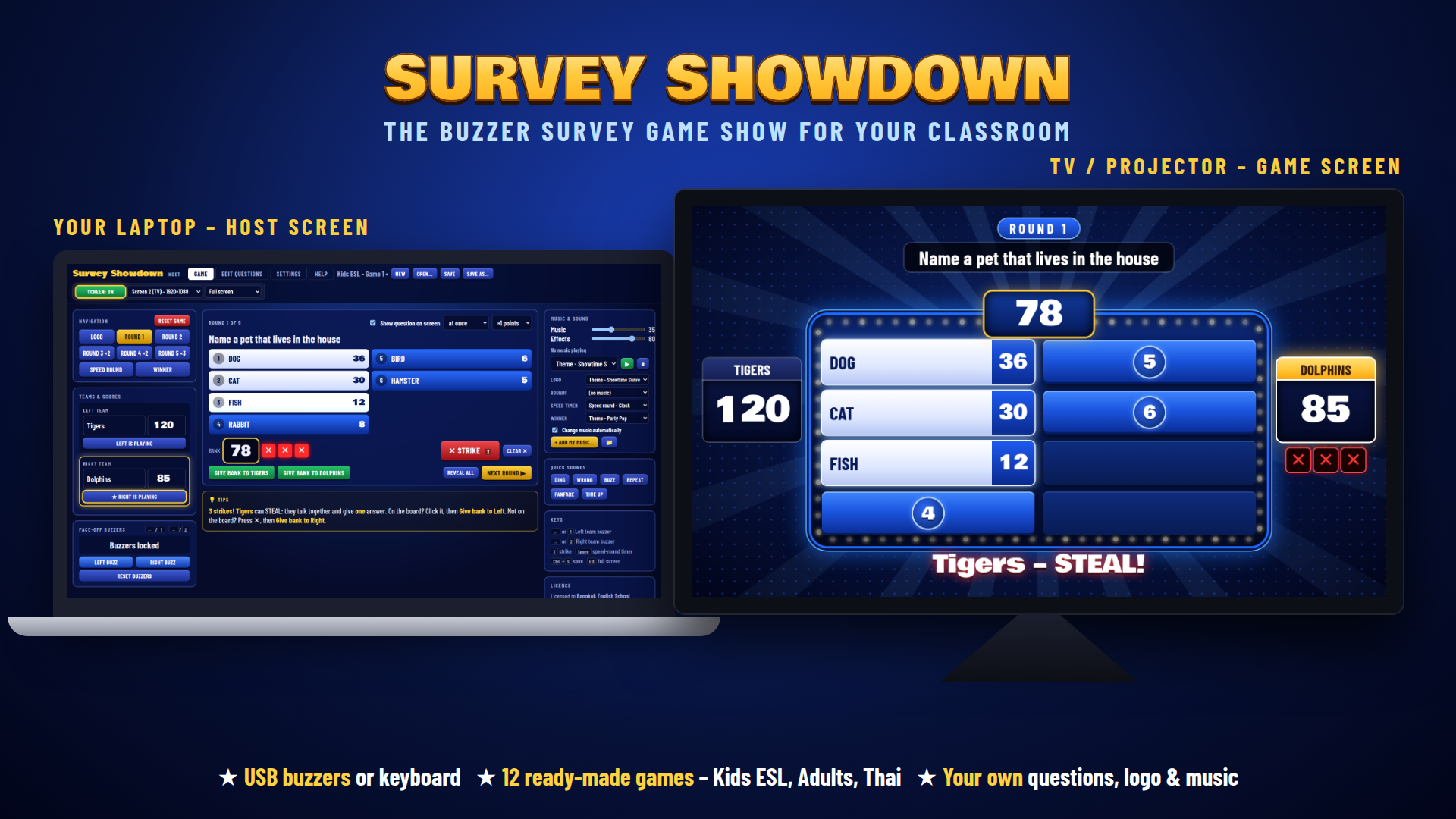
Host from your laptop – the game screen goes on your TV or projector.
See It in Action
Watch a full round – face-off, strikes, a steal and the speed round.
How a Game Works
Five rounds of survey questions, then the speed round and the winner screen.
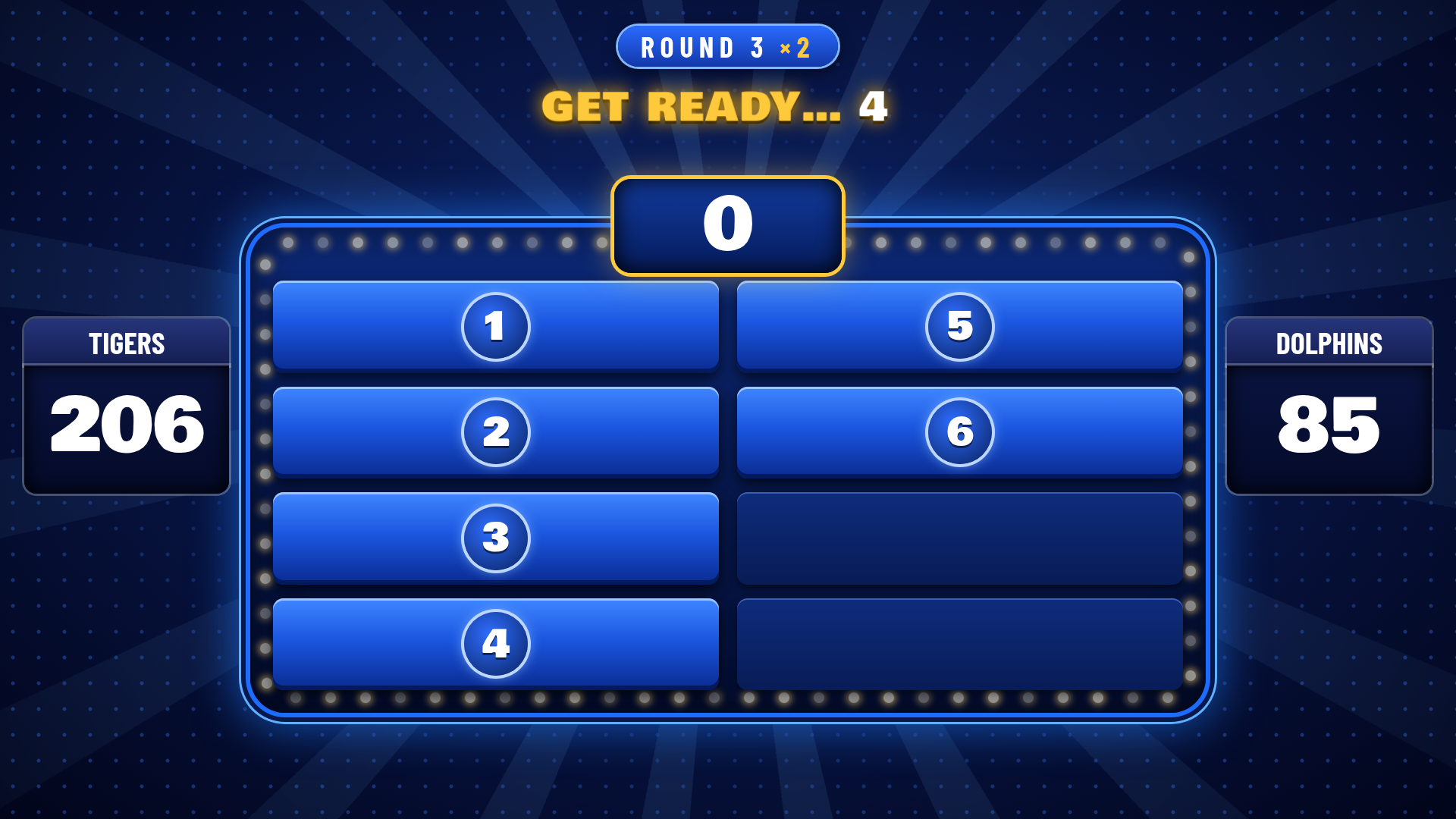
1The question appears
Straight away, or after a “Get ready…” countdown. The buzzers stay locked until it’s on screen – no early buzzing.
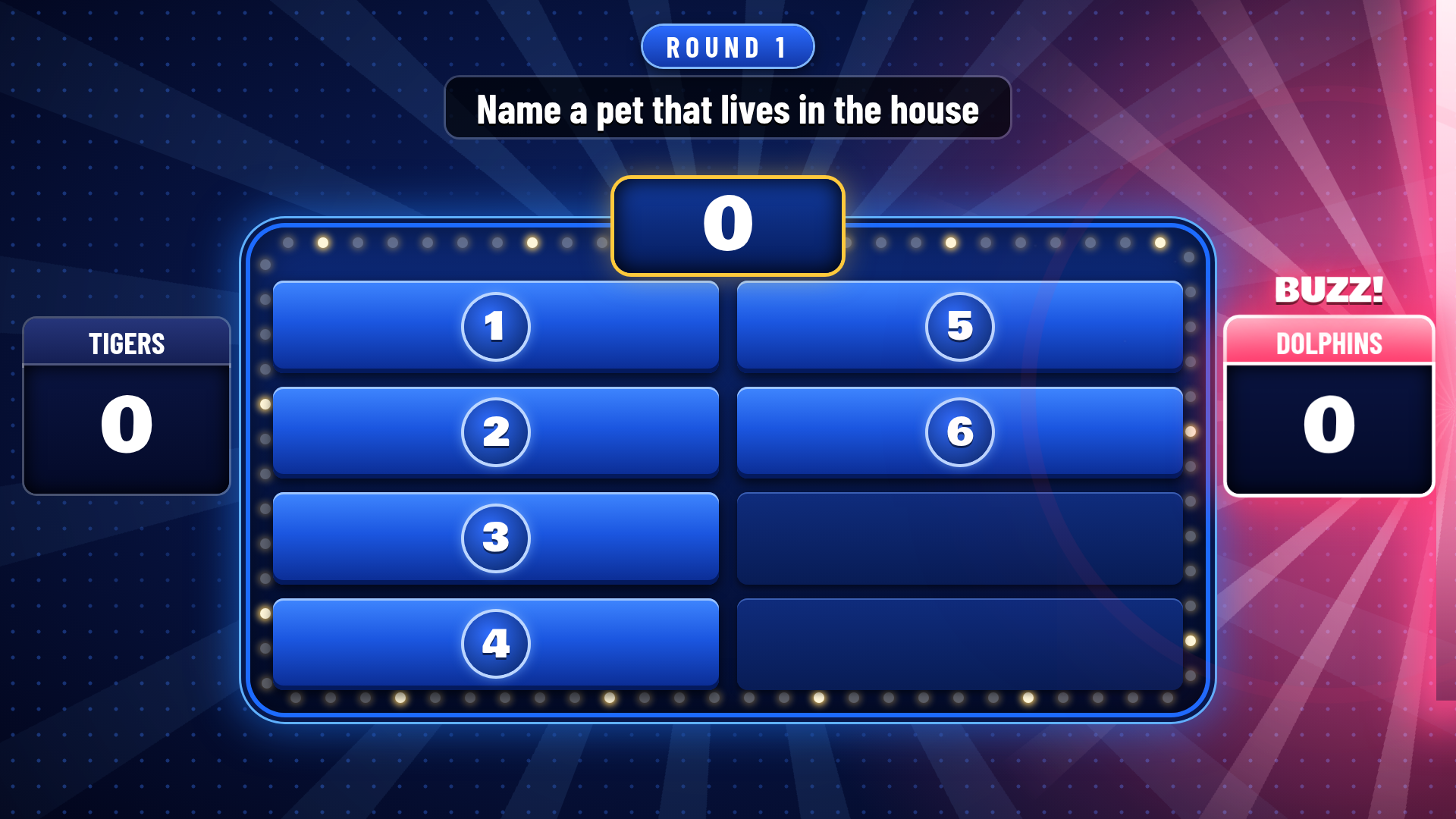
2Face-off!
One player from each team races to the buzzer. The first to buzz lights up their side of the screen.

3Find the answers
The winning team plays. Every right answer flips over on the board with a “ding” and its points go into the bank.
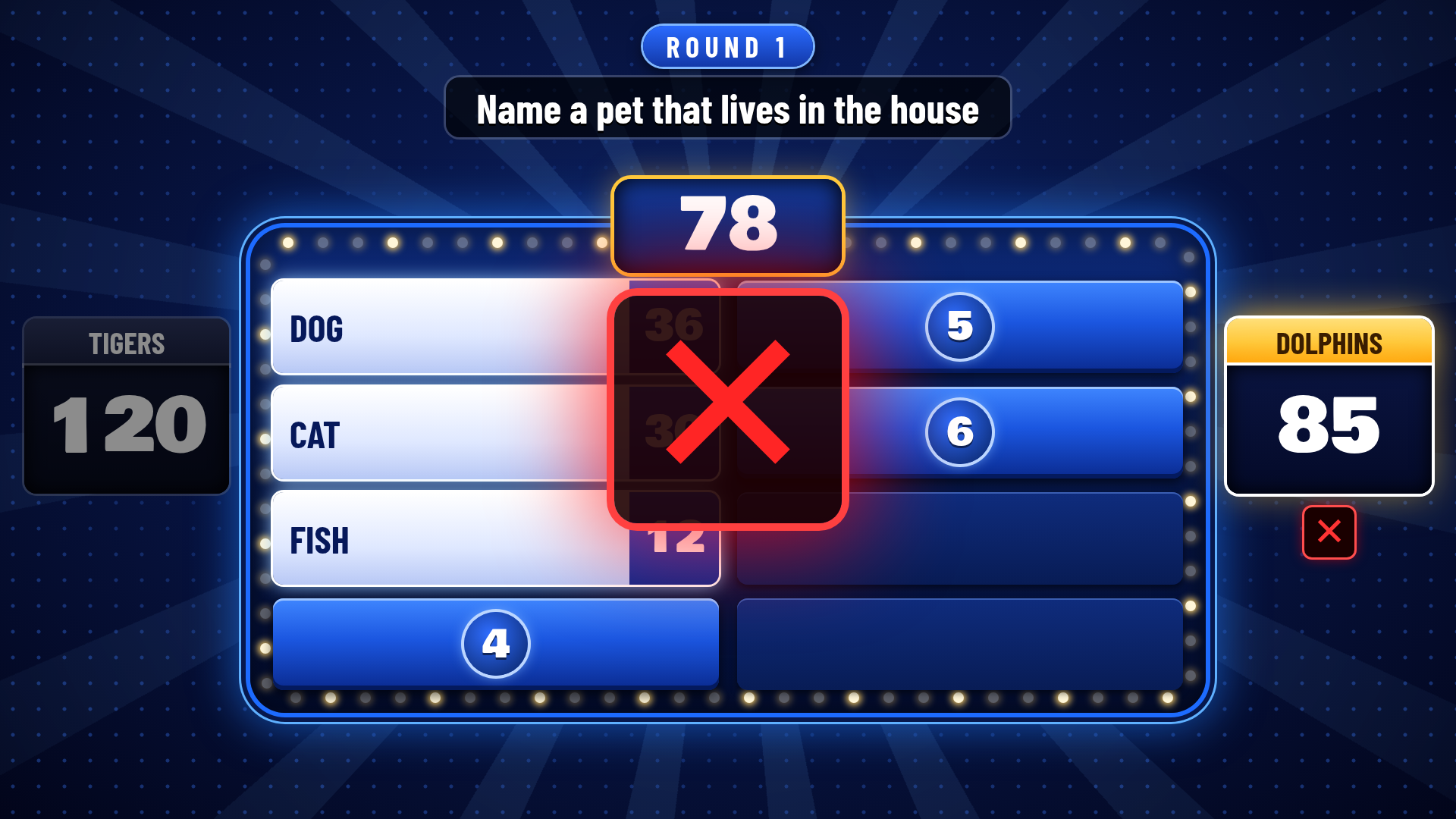
4Strike!
Wrong answer? A big red ✕ and the buzzer sound. One click on the host screen – or the X key.

5Three strikes – steal!
The other team gets one guess to steal the whole bank. A dramatic sting plays and the screen shows STEAL!

6Reveal the rest
Show the answers nobody found, then on to the next round – double and triple points in the later rounds.
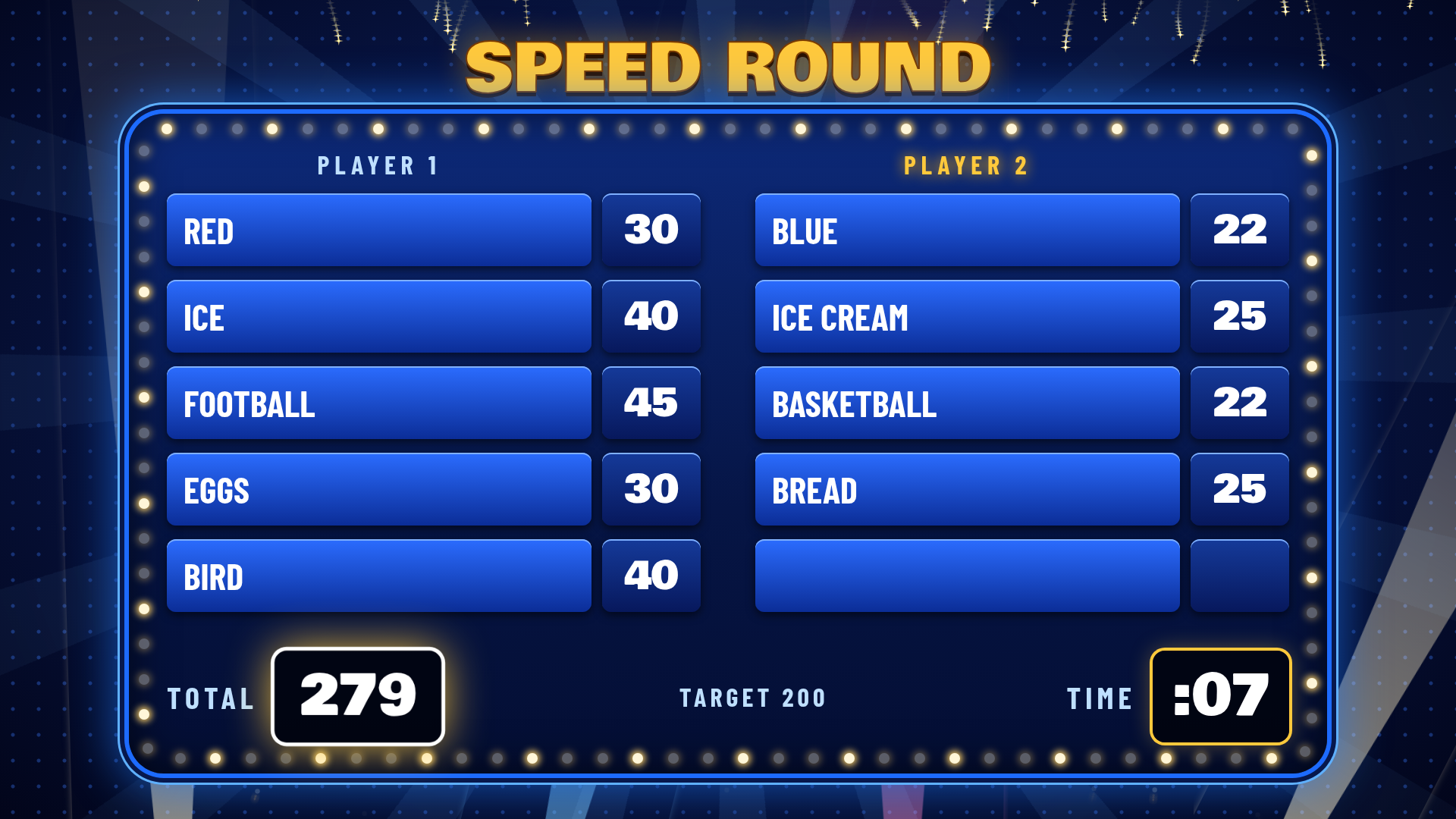
7Speed round
Two players, five quick questions, one clock – with tense ticking music. Reach the target for fireworks!

8And the winner is…
The winning team in gold with fireworks, spotlights, a fanfare and winner music. 🏆
What's Inside
Everything you need to run a TV-style survey game show.
The Survey Board
Up to 8 answers per question on a glowing light-bulb board. Click an answer on the host screen and it flips over with a “ding” – its points go straight into the bank.
Face-Off Buzz-In
The first team to buzz locks the other out, and their whole side of the screen lights up with spotlights, sparks and a BUZZ! badge – everyone can see who was first.
Strikes & Steals
Three strikes and the other team can steal the whole bank. Big red ✕, buzzer sound and a STEAL! screen.
Bank & ×2 / ×3 Rounds
Points build up in the bank. Give it to the winning team with one click – the points fly across to their score. Rounds can be worth ×1, ×2 or ×3.
Speed Round
Five quick questions against the clock for two players. Hide player 1’s answers while player 2 plays, and use the “repeat” buzzer for a double answer.
Host & Game Screens
The game screen goes on your TV or projector; the host screen shows every answer, the bank, the strikes and a Tips box that always tells you what to do next.
Original Game-Show Music
Over a dozen original tracks and a full set of game-show sounds – answer ding, strike buzzer, face-off buzz, steal sting and winner fanfare. Separate music and effects volume.
Your Own Music & Sounds
Add your own MP3s with one click and use them for any part of the game or any sound effect.
Easy Question Editor
Up to 8 answers per question with a running total of the 100 people. Add, move or delete rounds, and import or export questions as a simple text file.
Your Own Logo
Type your school, class, company or event name – or import your own logo picture.
Green Screen & See-Through
Use a green screen for chroma key, or a see-through window so only the board shows on top of your own video (e.g. in OBS).
Any Language
Questions, answers and team names can be in any language – perfect for ESL classes and international events.
Save & Open Games
Keep a whole library of games – questions, teams, logo, music and settings in one file. The app reminds you to save before closing.
Built-In Help
Step-by-step help is built into the app – press F1 at any time.
The Host Screen
You stay in control from your laptop – the players only see the game screen.
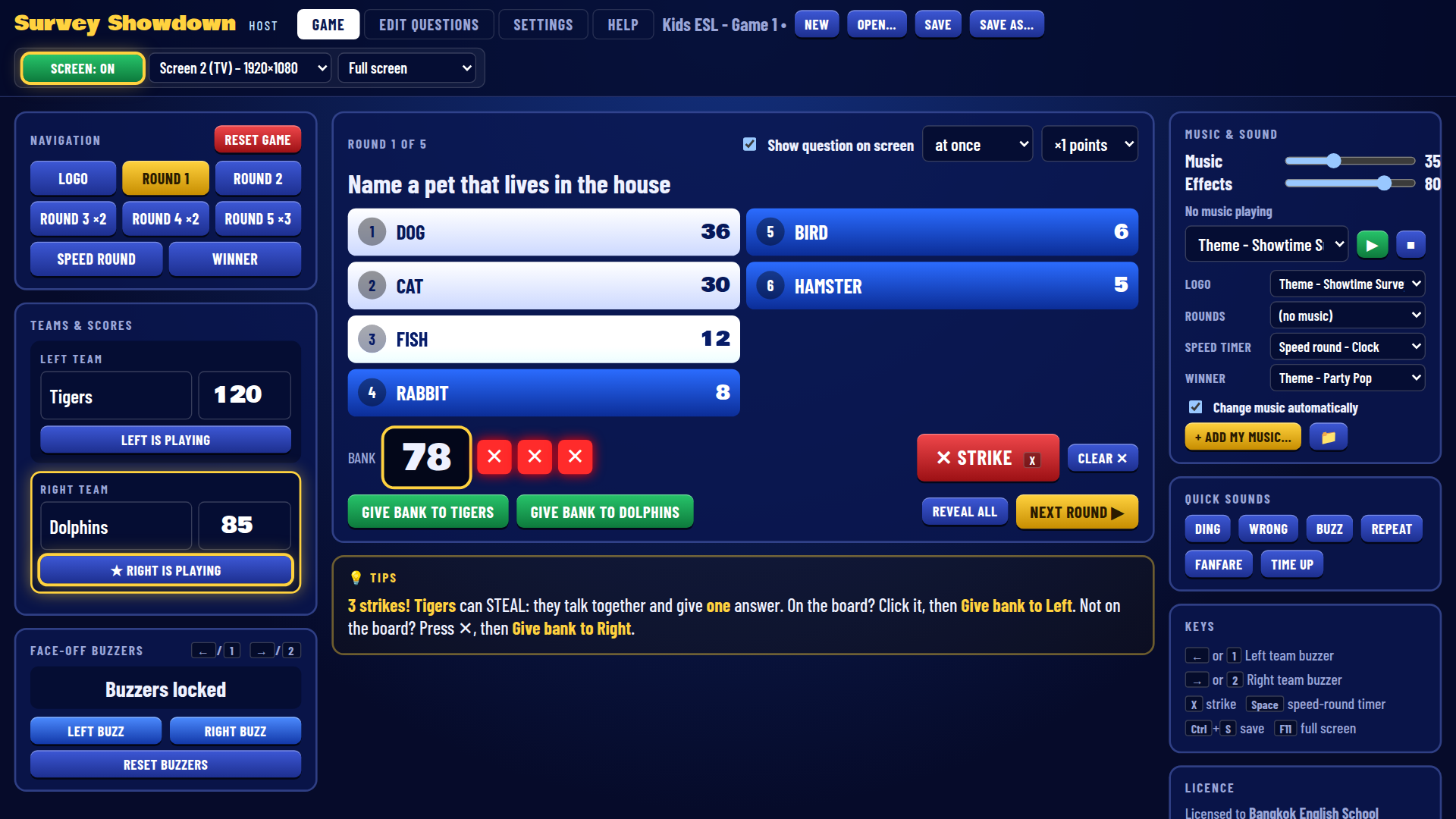
Run every round from one screen
The question, all the answers, the bank, the strikes and the buzzers – plus a Tips box that tells you what to do next.
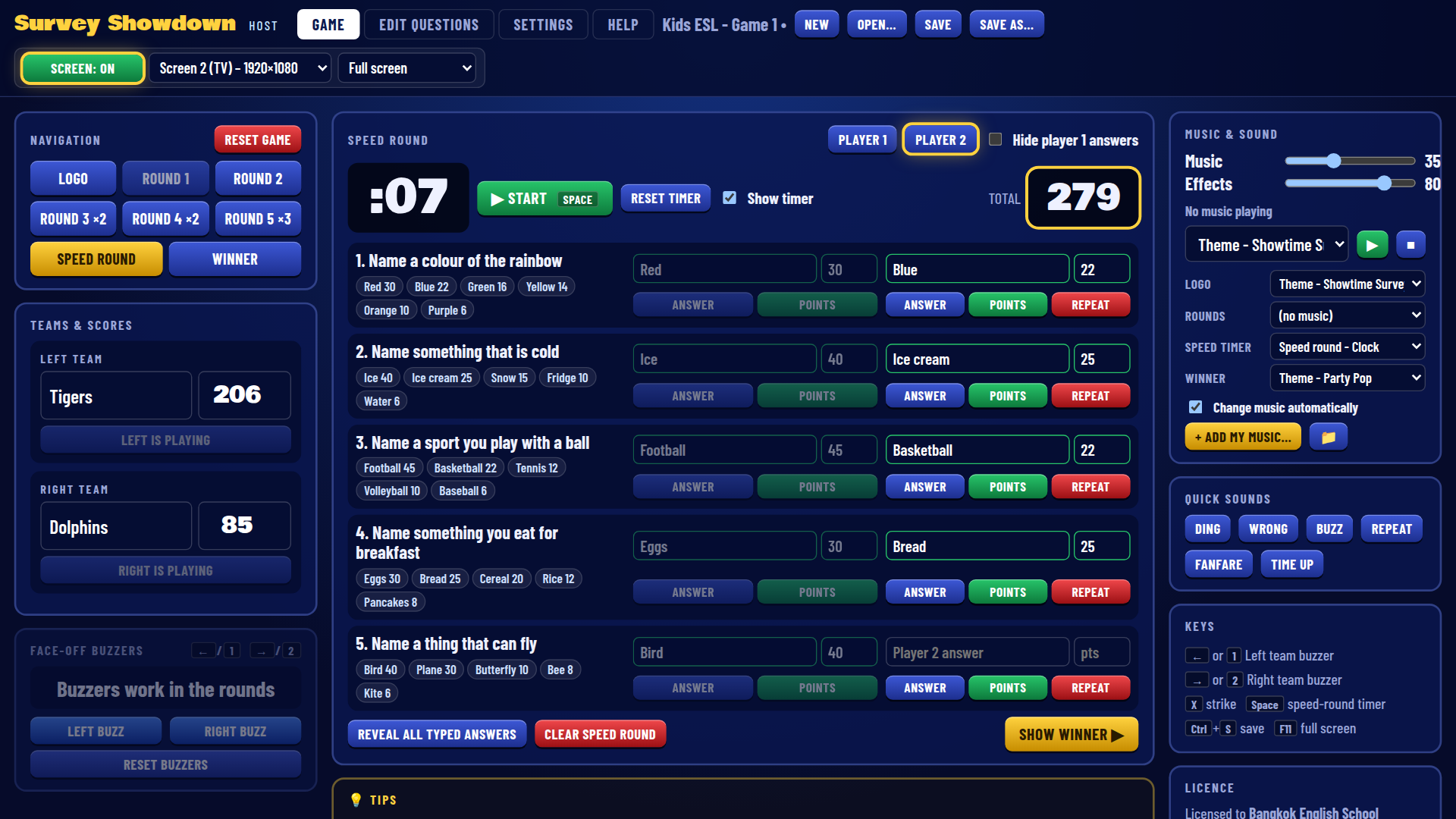
Speed round control
Timer (Space = start / pause), type the players’ answers or click a survey answer, then reveal the answers and points.
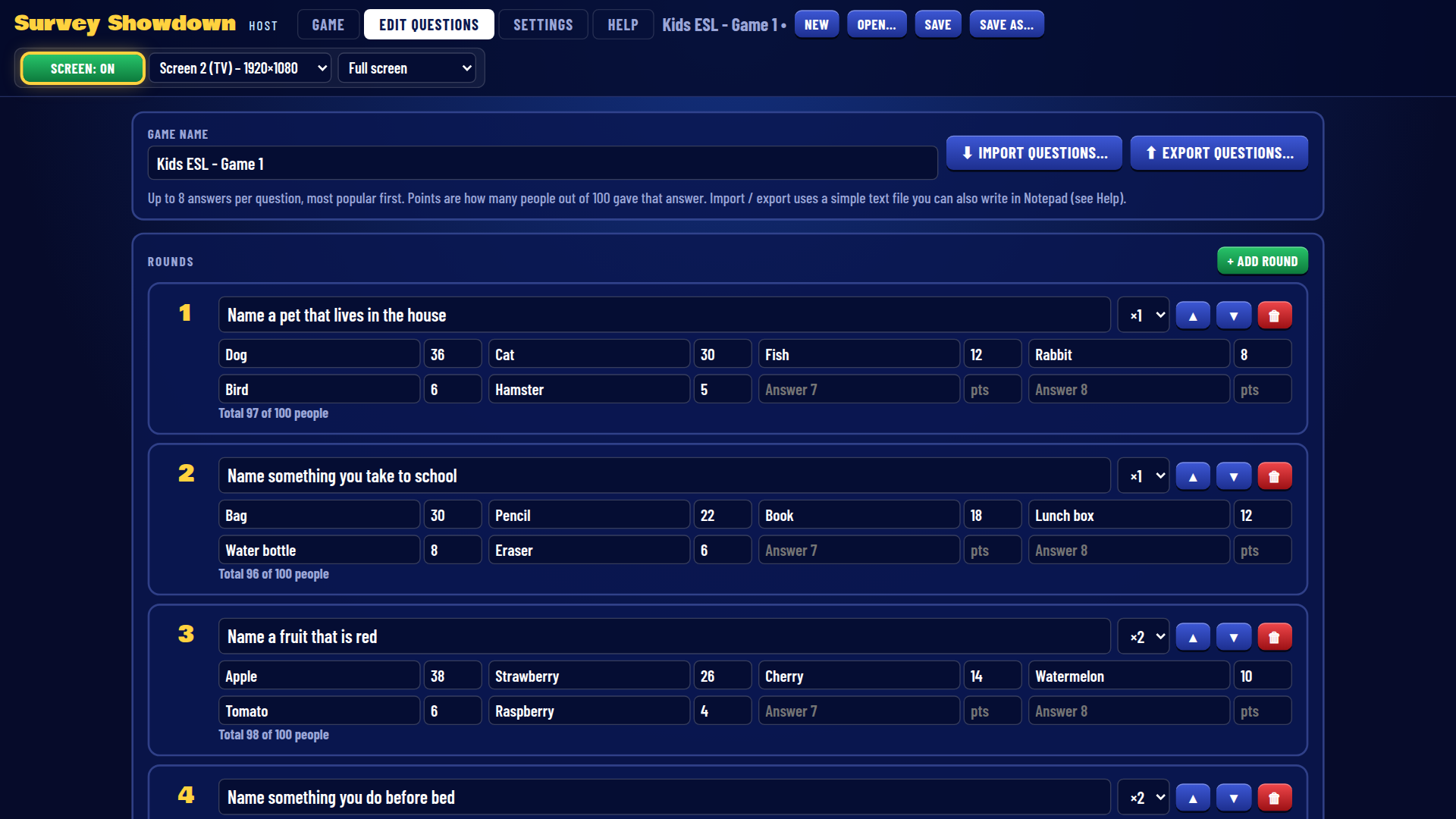
Write your own questions
Up to 8 answers per question, ×1 / ×2 / ×3 rounds and five speed-round questions. Import or export as a text file.
Make it yours
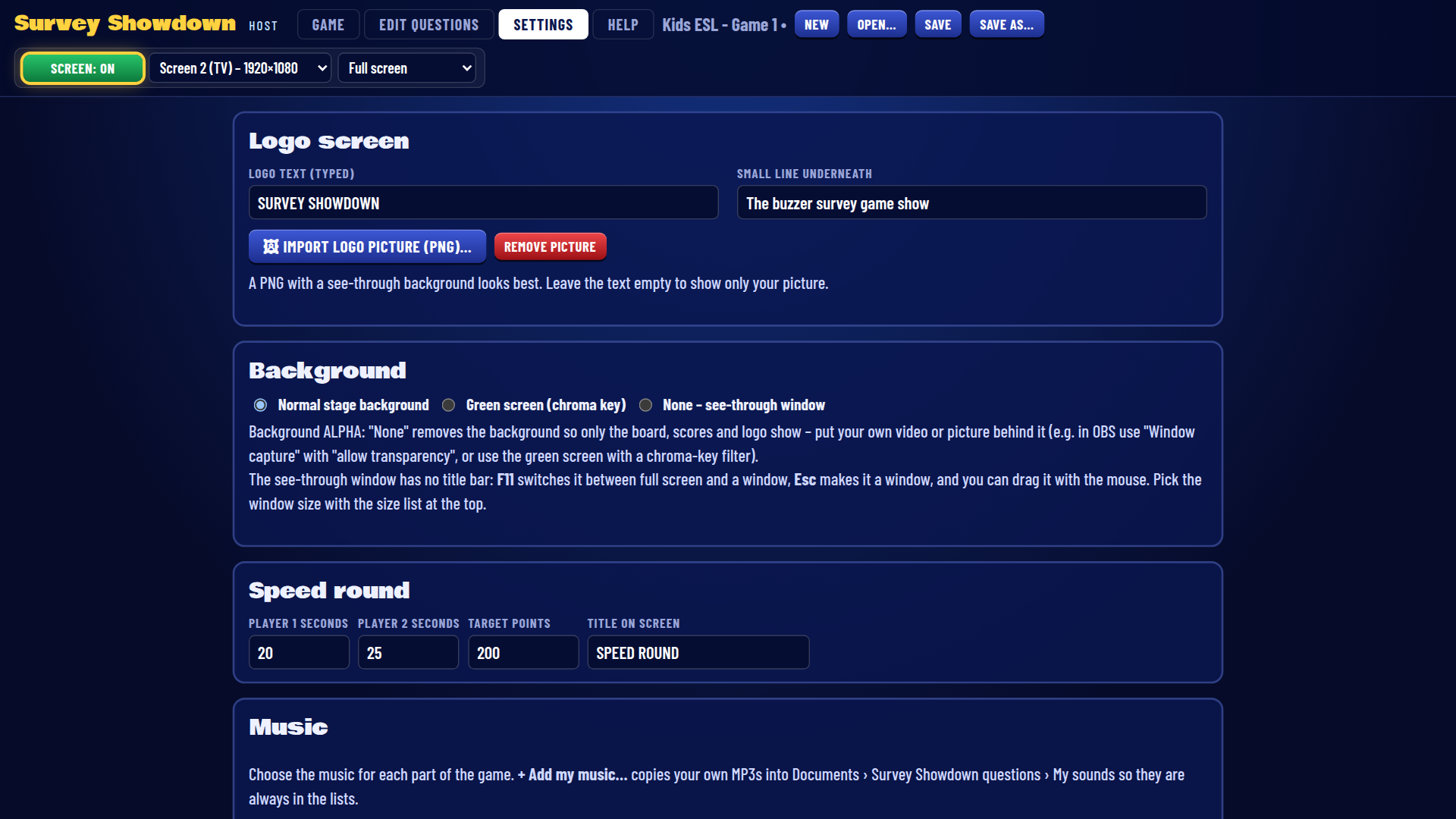
Logo text or picture, normal / green-screen / see-through background, speed-round time and target, and every sound.
Screenshots
Scroll to browse all screens → (click to open full size)


🎁 Ready-Made Games Included
Start playing straight away – 11 ready-made games with over 100 family-friendly survey questions, including a Kids ESL game. Each game has 5 rounds (×1, ×1, ×2, ×2, ×3) and a 5-question speed round, plus a printable question list.
Works With Your Buzzers
The left team buzzes with key 1 (or ←) and the right team with key 2 (or →) – so our wired buzzers, USB buttons and wireless buzzers work straight away, with no drivers. Or use the buzz buttons on the host screen.
| Survey Showdown | Windows | Mac |
|---|---|---|
| Computer | ✔ Windows 10 / 11 (64-bit) | ✔ Apple Silicon & IntelmacOS 12 Monterey or newer |
| Install | ✔ InstallerNo admin rights needed | ✔ Drag to ApplicationsSigned & notarized by Apple |
| Buzzers | ✔ Plug & play, no drivers | ✔ Plug & play, no drivers |
| TV / projector | ✔ HDMI – or one screen | ✔ HDMIUSB-C adapter on newer Macs |
Questions & Answers
Is it really free?
Yes – this is a free beta test version for you to try. No licence code is needed. The beta works until 31 December 2026. Your feedback helps us make the full version even better!
Do I need buzzers?
No – you can play with the keyboard (1 / 2 or ← / →) or the buzz buttons on the host screen. For the full game-show feel, plug in our wired buzzers, USB buttons or wireless buzzers – no drivers needed.
Does it work on a Mac?
Yes. Survey Showdown runs on Windows 10 / 11 and on Mac – one universal app for Apple Silicon and Intel Macs (macOS 12 Monterey or newer), signed and notarized by Apple.
Can I write my own questions?
Yes. The built-in editor lets you write rounds with up to 8 answers each, set double or triple points and write the speed-round questions. You can also import questions from a text file written in Notepad or Word.
Can I use it in another language?
Yes. Questions, answers and team names can be typed in any language.
Do I need the internet?
No. Everything runs on your own computer – no account, no subscription, nothing uploaded.
Can I put it on a TV or projector?
Yes. The game screen opens full screen on your TV or projector (or in a window), while you host from your laptop. On a newer MacBook you may need a USB-C to HDMI adapter.
Is it connected to the TV show?
No. Survey Showdown is an independent product and is not connected with, or endorsed by, any television show. All music and sounds are original.
Try Survey Showdown Free!
Grab your buzzers, put the game screen on the TV and ask the class, the party or the office: “We asked 100 people…” The free beta needs no licence code – tell us what you think!
Survey Showdown is an independent product and is not connected with, or endorsed by, any television show. All music and sounds are original.